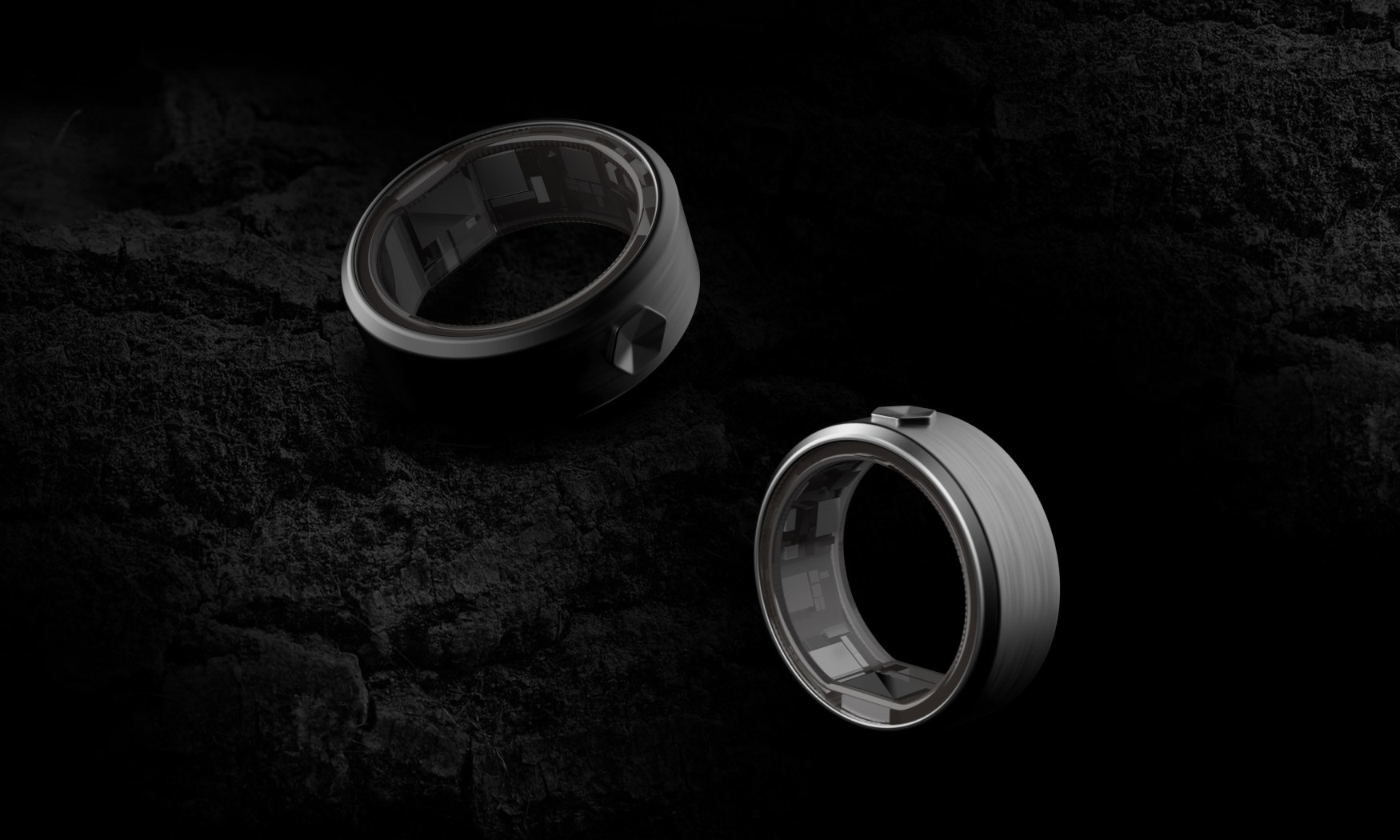
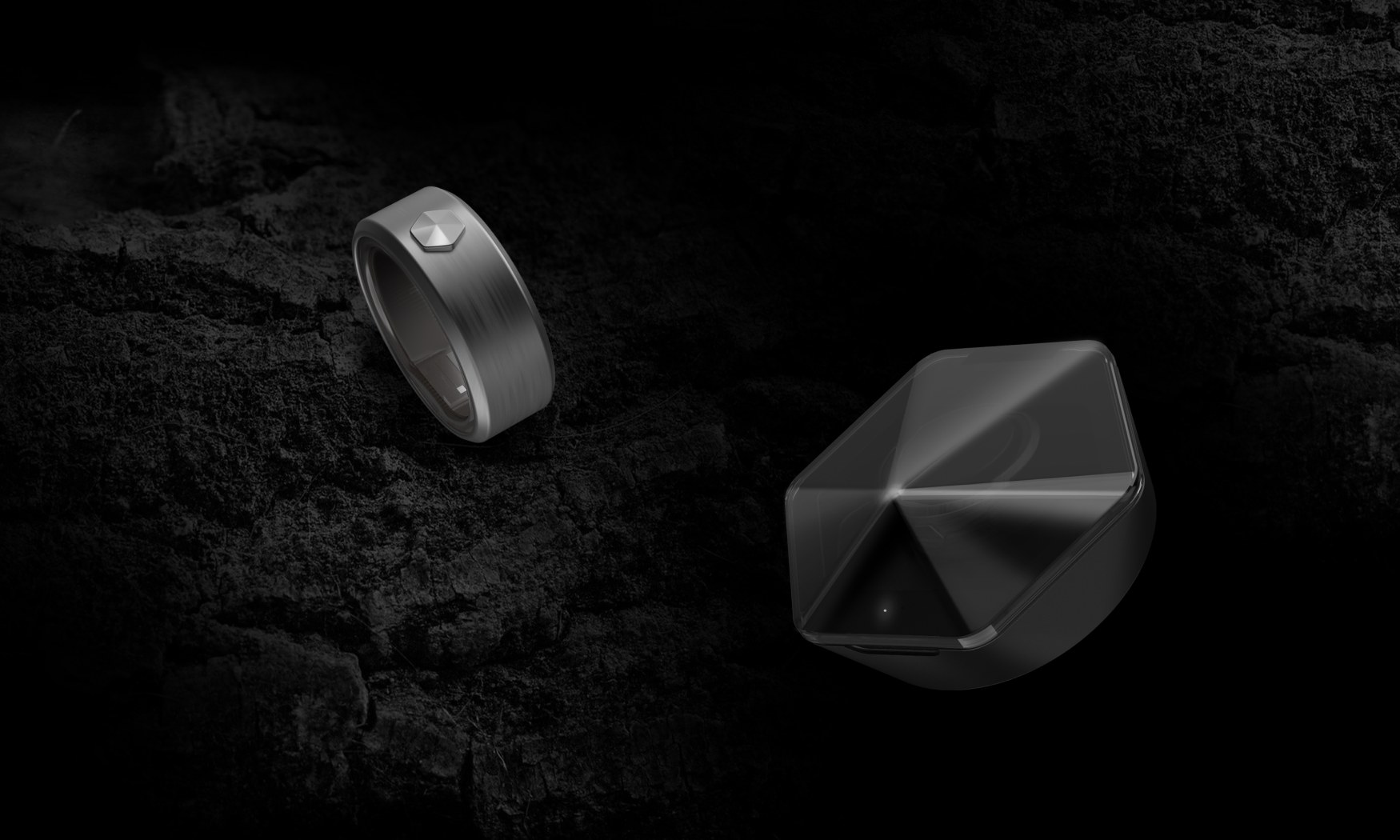
Wellness ring · Concept
Sleep, readiness, activity and falls, read in the app people already used for their home.
Entire UIEvery screen, the setup flow and the printed guide.
ConceptNever shipped.
01
The Context
A ring inside a Wi-Fi app.
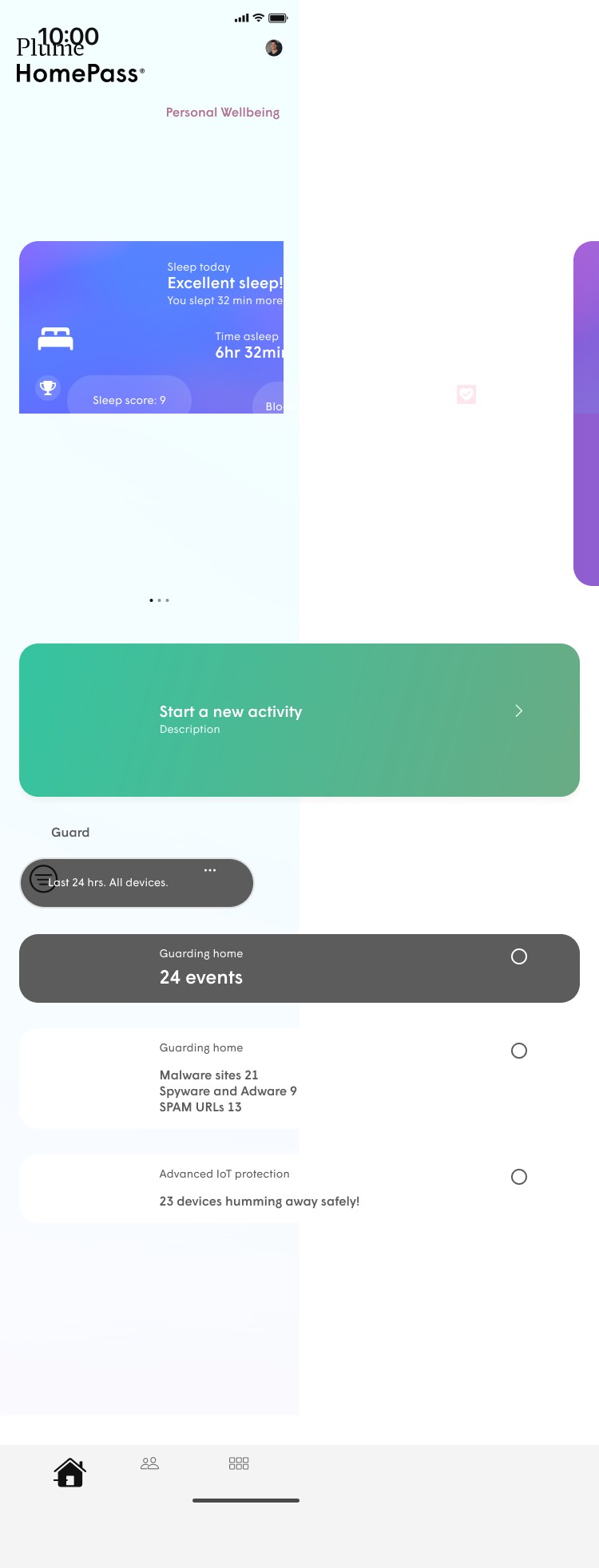
HomePass already ran the home: the network, its devices and Guard, which kept them safe. Thrive added Personal Wellbeing to that same home screen, so the ring needed no app of its own.
02
The Readings
One number first, then the evidence under it.
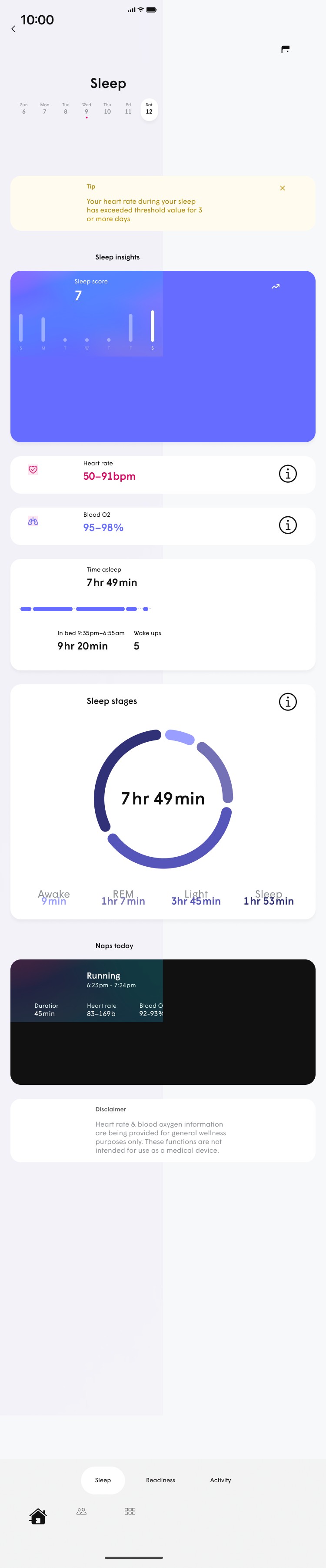
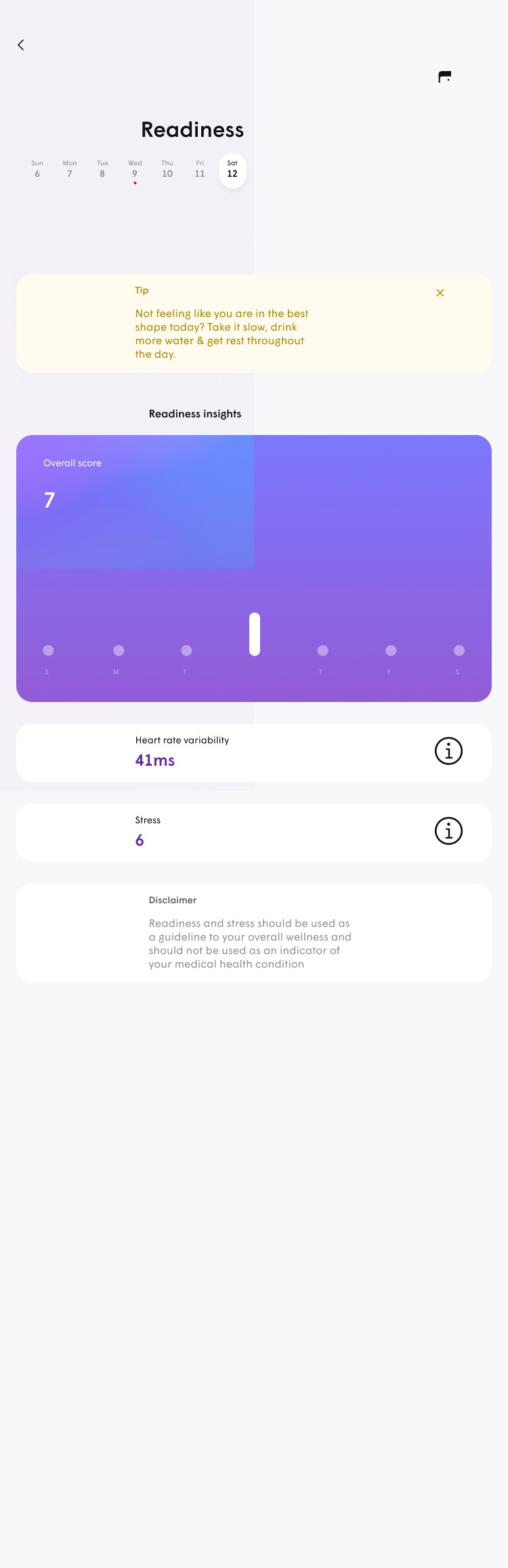
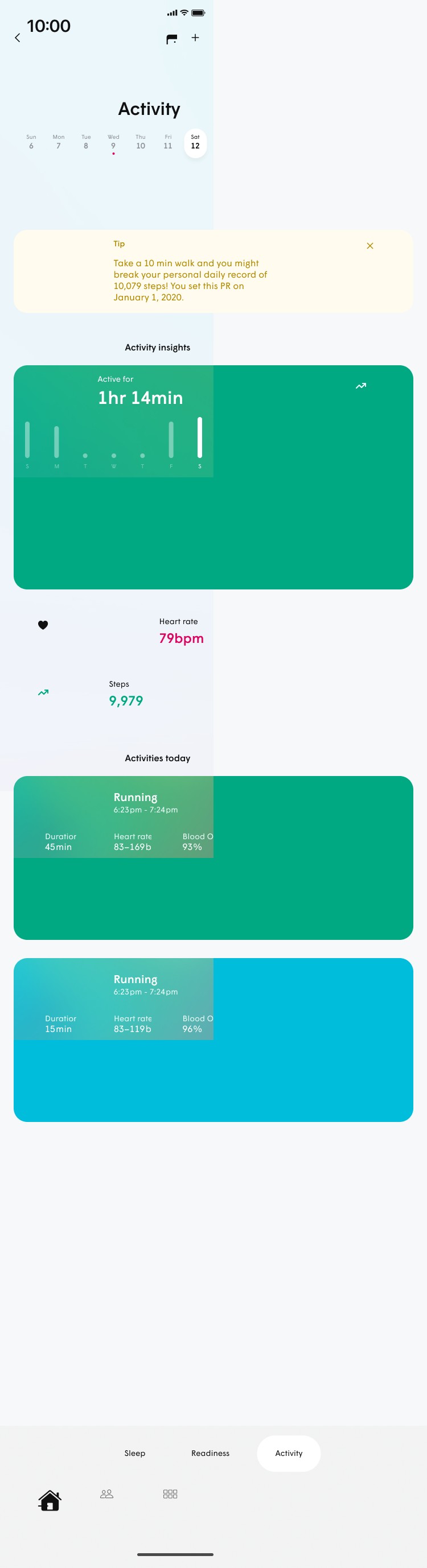
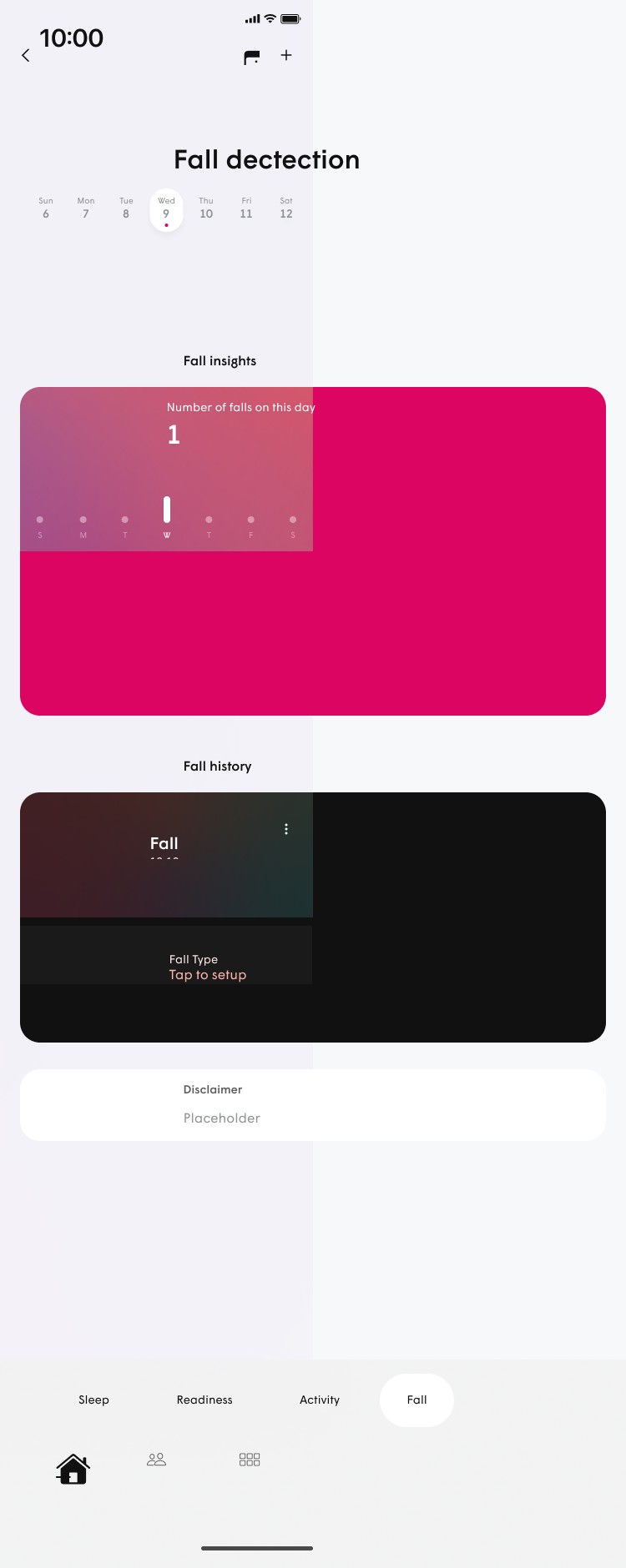
Each reading opens on a score or a count. Heart rate, blood oxygen and time sit underneath, for anyone who wants the reason.
Sleep
- Sleep score
- 7
- Heart rate
- 50–91 bpm
- Blood O2
- 95–98 %
- Wake ups
- 5
Readiness
- Overall score
- 7
- HRV
- 41 ms
- Stress
- 6
Activity
- Active for
- 1 hr 14 min
- Heart rate
- 79 bpm
- Running
- 45 min · 83–169 bpm
Fall detection
- Fall
- 10:10 am
- Fall type
- Tap to set up
From the app: “Heart rate & blood oxygen information are being provided for general wellness purposes only. These functions are not intended for use as a medical device.”
03
The App
Home first, detail one tap away.
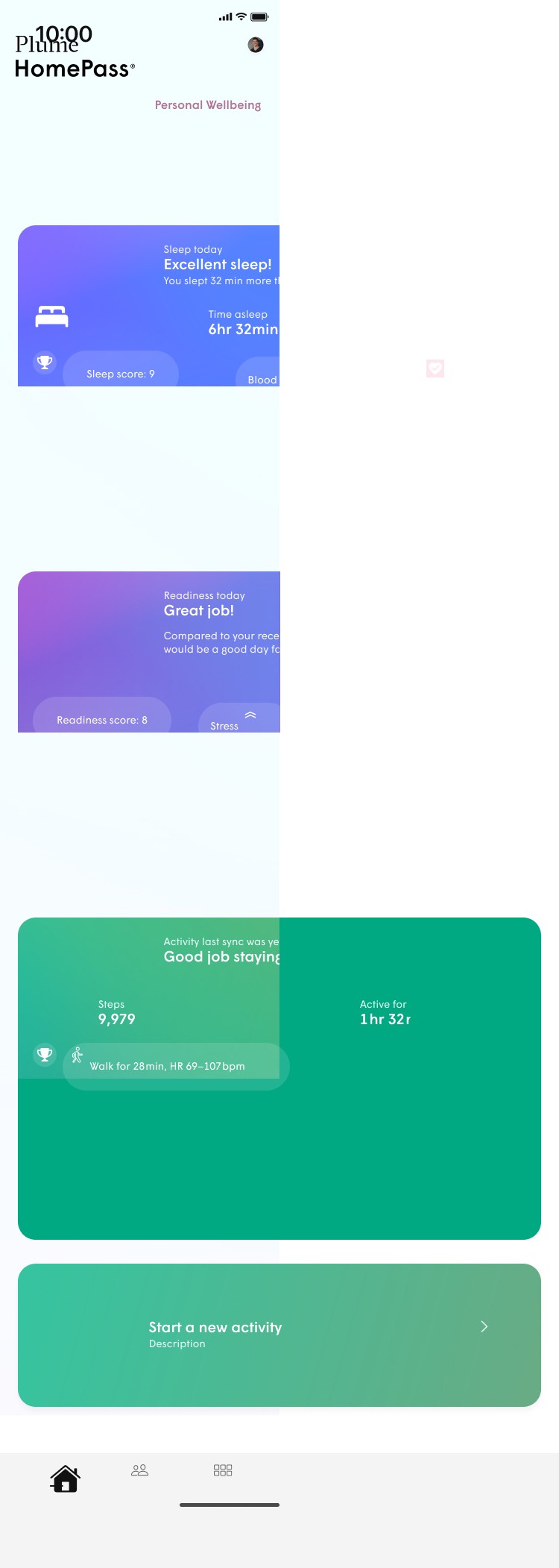
The home screen holds a card per reading. Each card opens its own screen with a week of history, a tip and the readings in full.
04
Setup
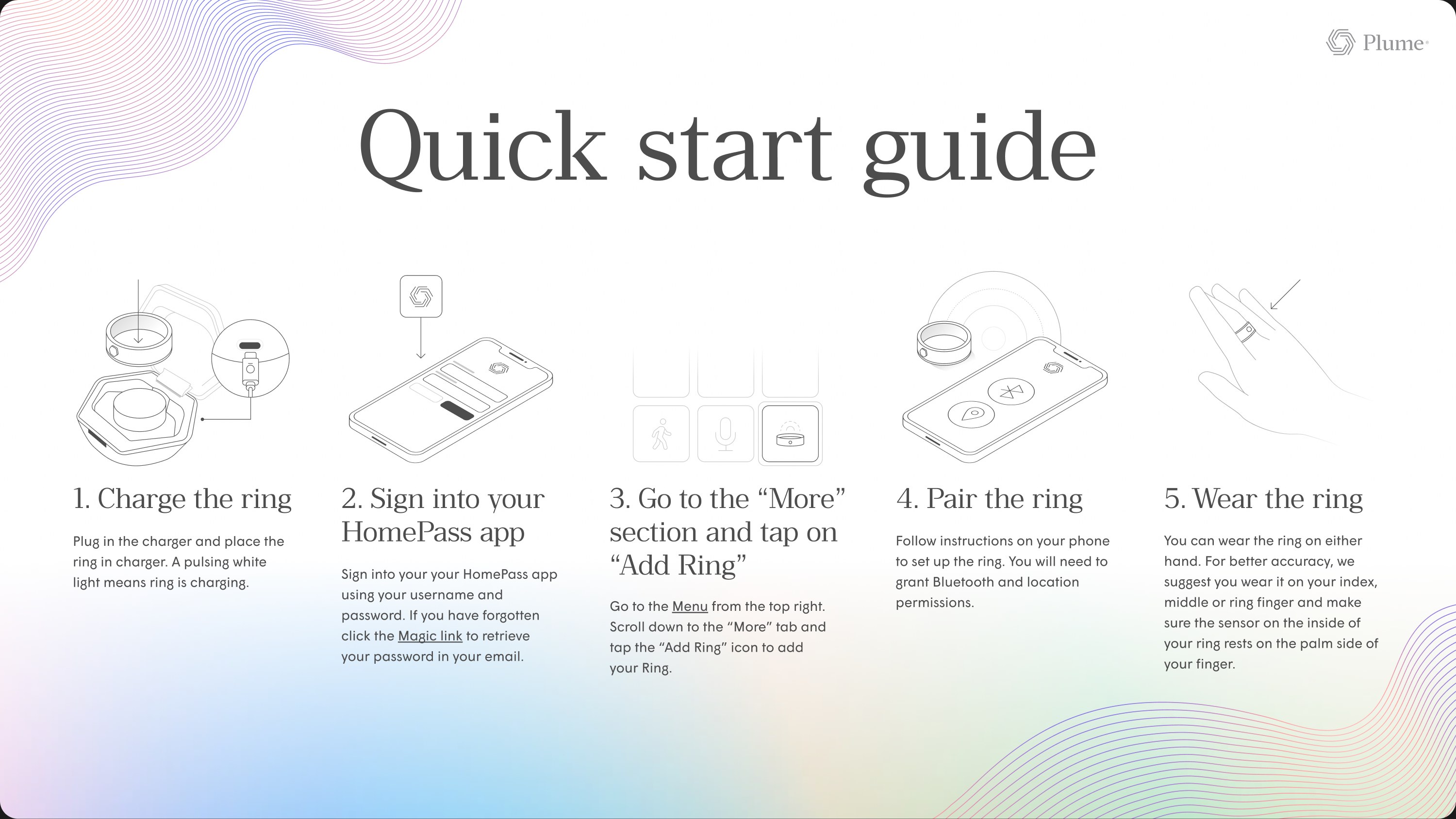
From the box to the wrist in five steps.
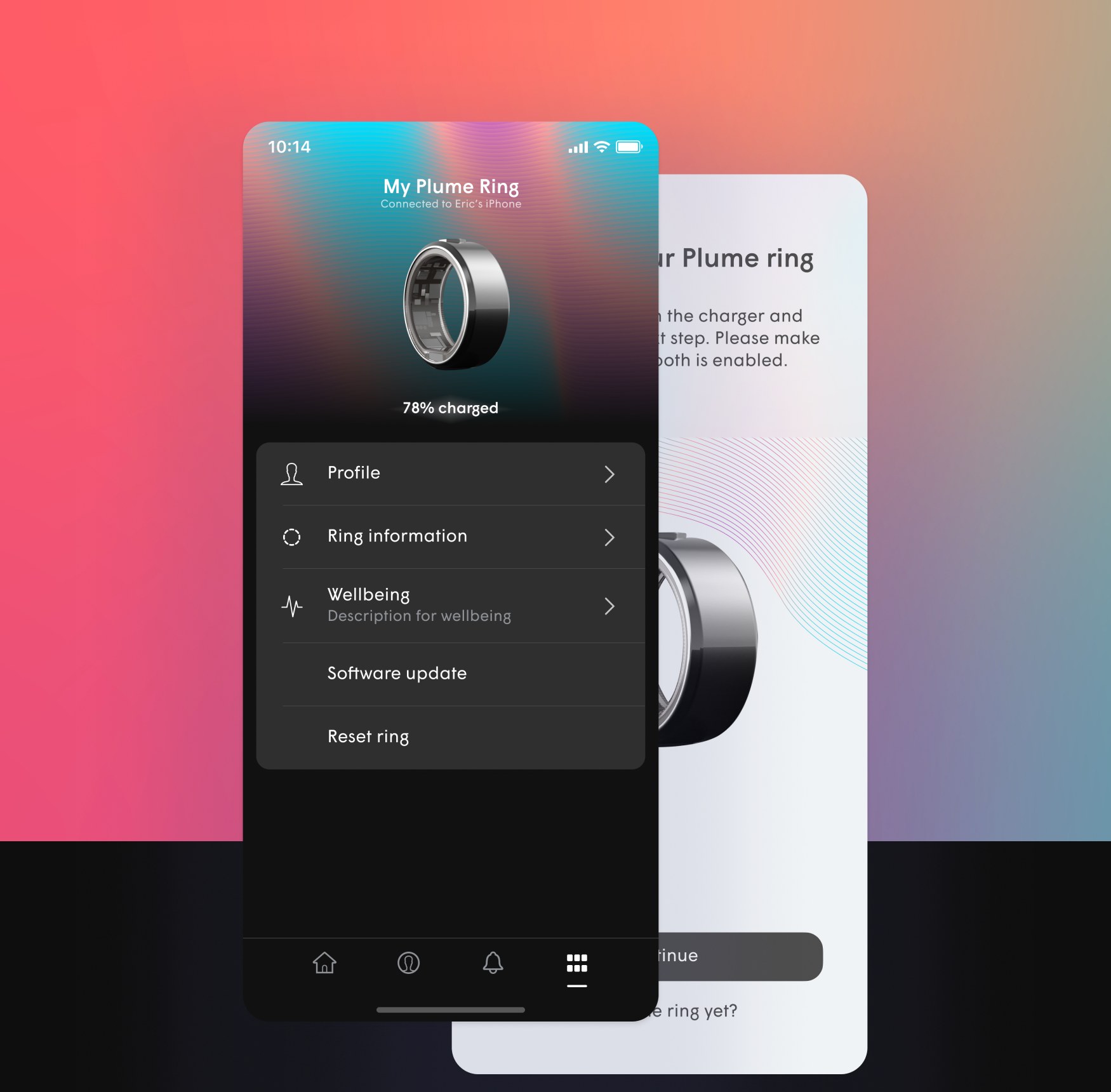
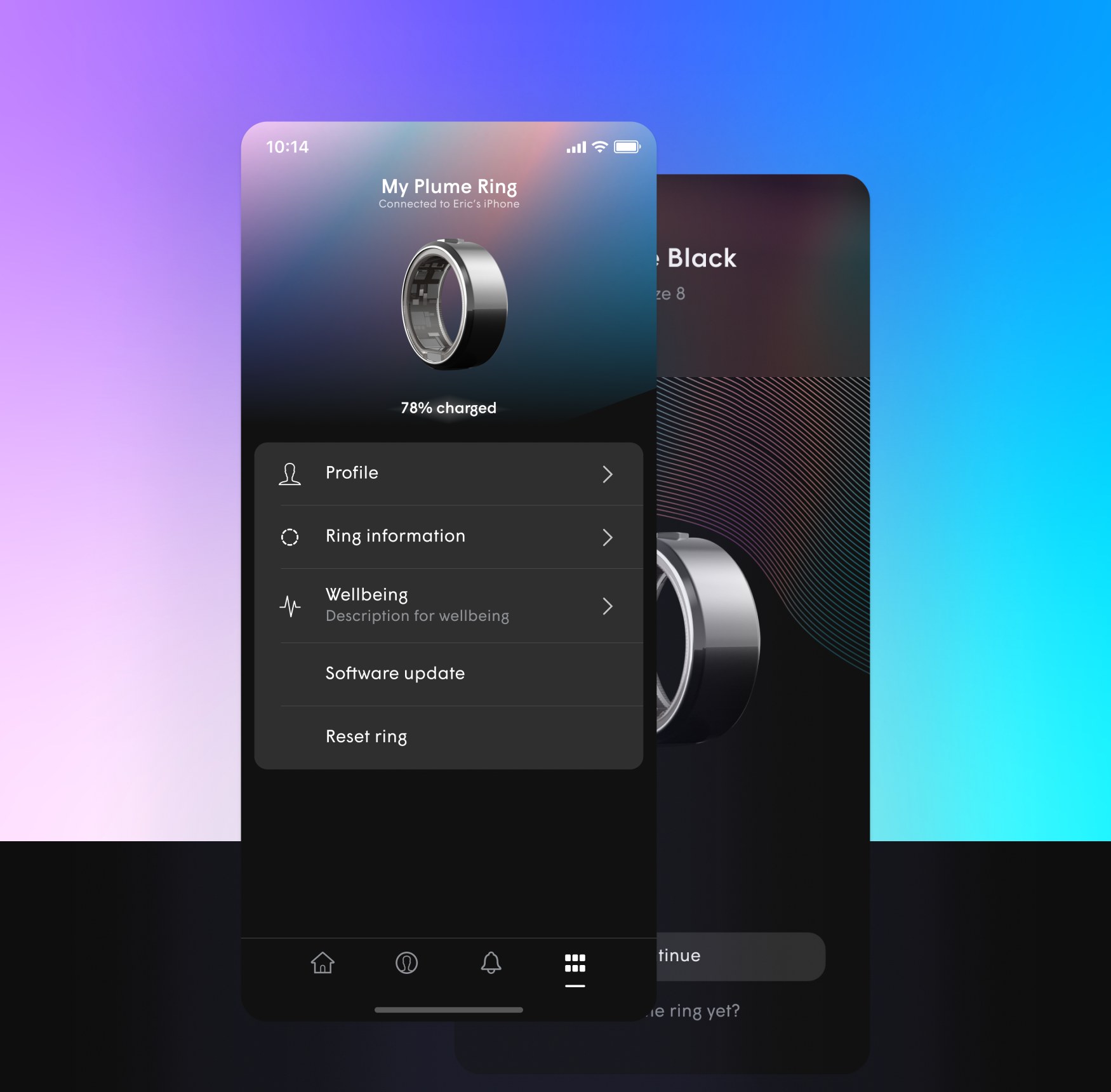
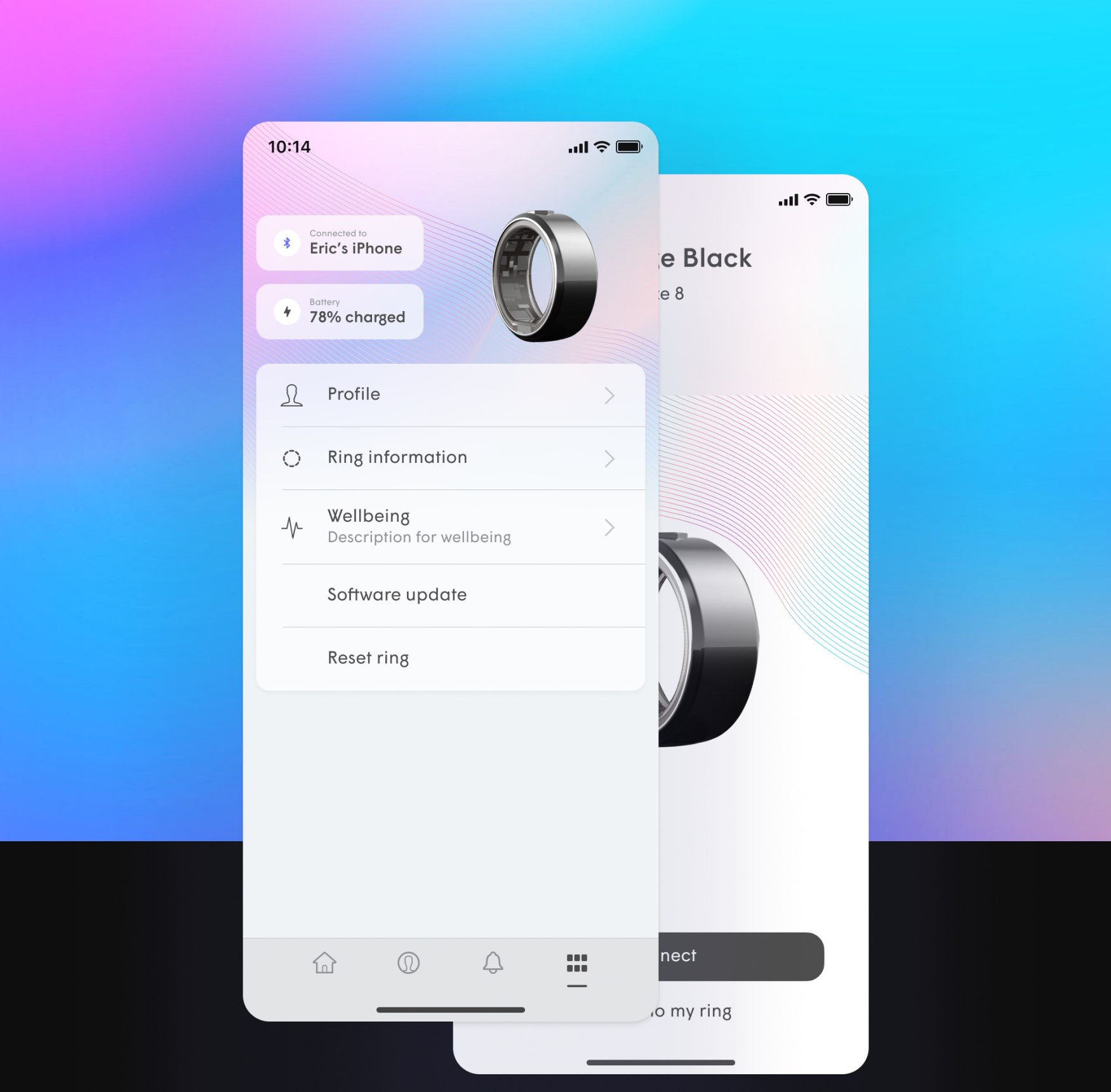
The ring is added from the More tab in HomePass. Its page holds charge, profile, wellbeing, software update and reset, in dark and light.
05
Outcome
Concept, never shipped.
Designed end to end as one experience: four readings, the HomePass home with and without Plume Wi-Fi, ring setup, and the printed guide.

TERMS OF USE
AMIT PATEL DESIGN𝔖®, CURIOU𝔖 𝔖PACE®, and MEDU𝔖A™ word marks and design marks, along with other names, logos, graphics, and materials displayed on the Site that function as trademarks (collectively, the "Marks"), are owned by or licensed to AMIT PATEL DESIGN𝔖® INℭ. These Marks are protected by copyright, trademark rights, and other intellectual property rights under United 𝔖tates and international law. Unauthorized use, reproduction, or distribution of these Marks is strictly prohibited.
Content on this site may not be used, reproduced, or otherwise exploited for purposes of training or developing artificial intelligence or machine learning technologies, nor for data mining, scraping, or crawling.